Features
An overview of az-scout's built-in capabilities.
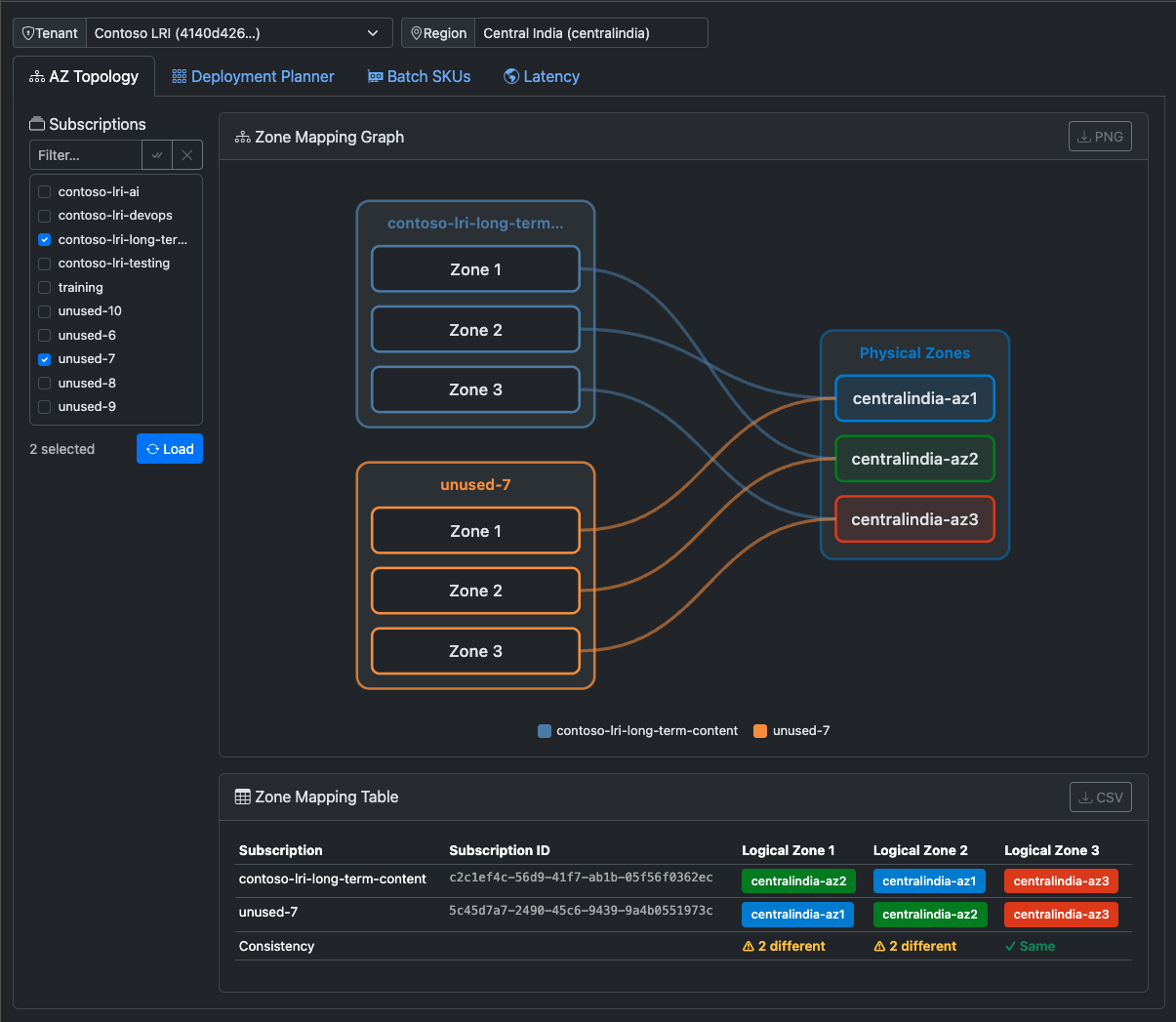
Zone Mapping
Visualise how Azure maps logical Availability Zones to physical datacenter zones across subscriptions in a region.
Azure assigns logical zone numbers (1, 2, 3) independently per subscription. Two subscriptions may both have a "Zone 1" that map to different physical datacenters — meaning VMs placed in Zone 1 across subscriptions are not co-located. az-scout makes this mapping visible.
What you can do:
- Compare zone mappings across multiple subscriptions side-by-side.
- Identify which subscriptions share a physical zone for a given logical zone number.
- Plan multi-subscription deployments that require co-location or zone isolation.
Powered by: availabilityZoneMappings from the Azure ARM /subscriptions/{id}/locations endpoint.
SKU Availability
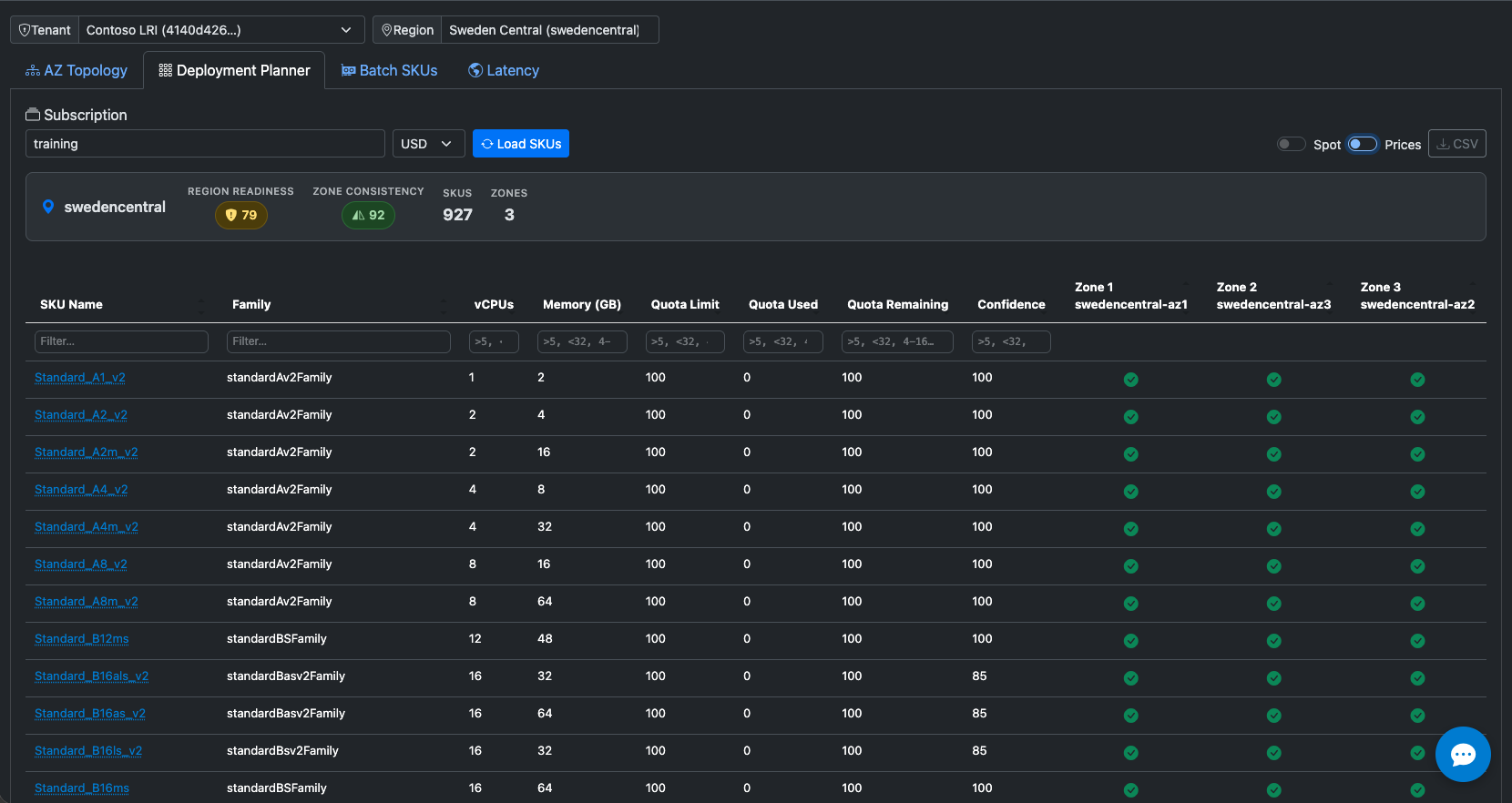
View VM SKU availability per physical zone, with real-time quota and restriction data.
What you can do:
- Filter SKUs by name, family, vCPU count, and memory (GB).
- See availability per physical zone (not just logical zone).
- View vCPU quota usage as a percentage of the limit.
- Identify zone restrictions (e.g. SKU not available in a specific zone).
- Export the full table to CSV.
Powered by: /subscriptions/{id}/providers/Microsoft.Compute/skus (with zone restrictions and capabilities) and /subscriptions/{id}/providers/Microsoft.Compute/locations/{region}/usages (quota, cached 10 minutes).
Spot Placement Scores
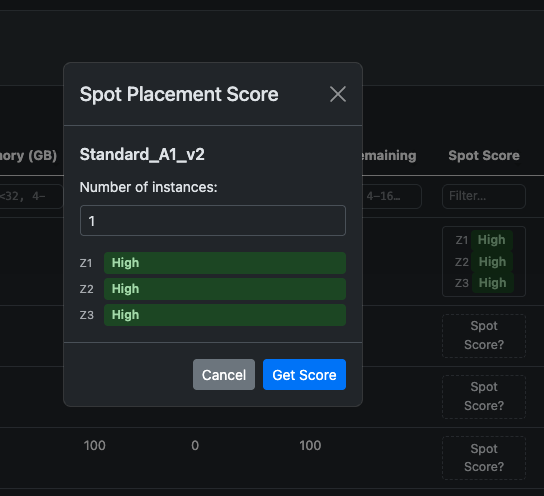
Get per-SKU Spot VM allocation likelihood — High, Medium, or Low — from the Azure Compute Resource Provider.
Spot Placement Scores reflect the probability of obtaining a Spot VM allocation, not raw datacenter capacity. They are a planning signal, not a guarantee.
What you can do:
- Compare Spot likelihood across VM sizes and zones.
- Prioritise SKUs with High scores for cost-sensitive workloads.
- Factor Spot scores into your deployment confidence assessment.
Powered by: /subscriptions/{id}/providers/Microsoft.Compute/locations/{region}/placementScores/spot/generate (batched in chunks of 100, cached 10 minutes).
Deployment Confidence Score
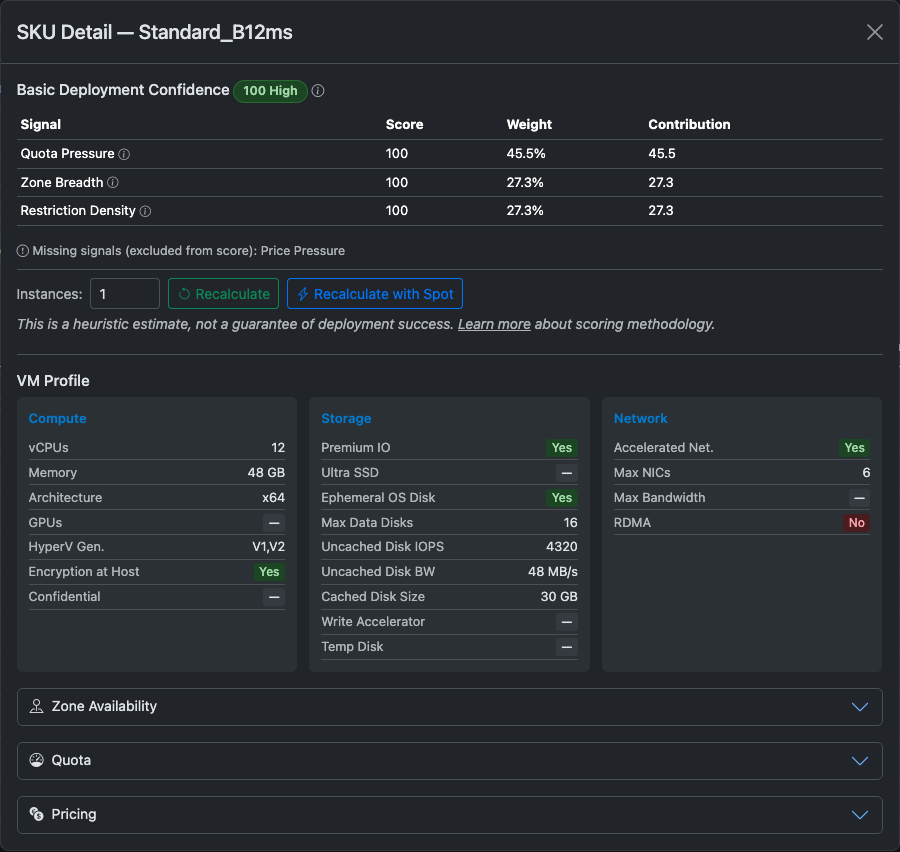
A composite 0–100 score per SKU that estimates the likelihood of successfully deploying a VM in a given region and subscription.
The score synthesises multiple signals, weighted by importance:
| Signal | Weight | Description |
|---|---|---|
| Quota Pressure | 25 % | Non-linear utilisation bands — healthy below 60 %, danger zone above 80 % |
| Spot Score | 35 % | Spot Placement likelihood (optional — requires an extra API call) |
| Zone Breadth | 15 % | Number of unrestricted zones where the SKU is available |
| Restriction Density | 15 % | Fraction of zones with capacity restrictions |
| Price Pressure | 10 % | Relative position of the SKU's price within its family |
Scores below certain thresholds are labelled Blocked when a knockout condition fires (quota exhausted, SKU restricted in all zones, etc.).
See the Scoring Reference for the full algorithm and all thresholds.
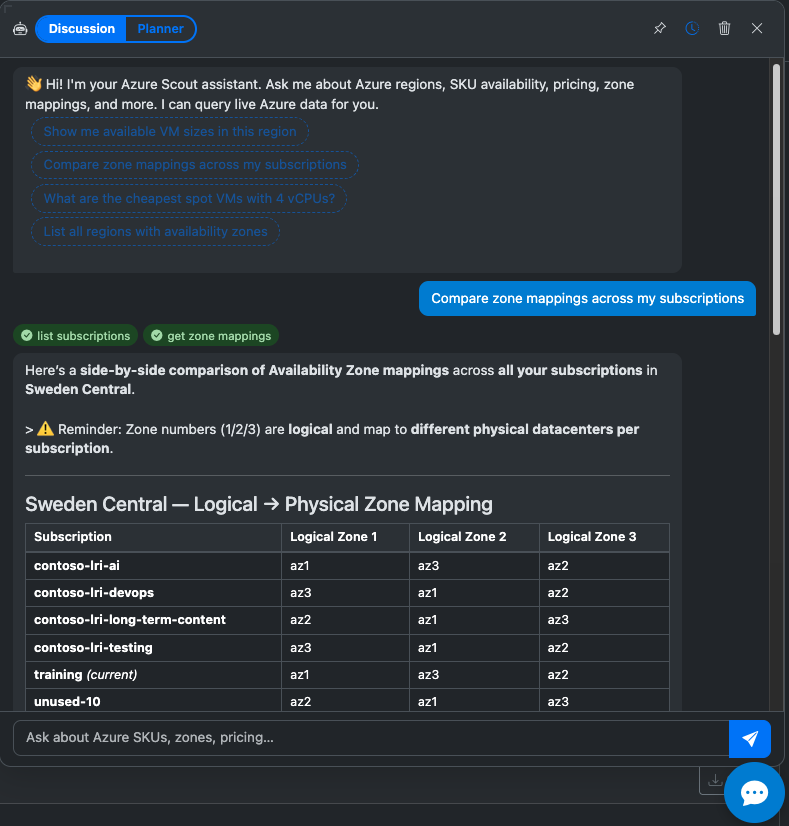
AI Chat Assistant
An optional chat panel powered by Azure OpenAI with streaming responses, tool calling, and markdown rendering.
Requirements:
| Variable | Description |
|---|---|
AZURE_OPENAI_ENDPOINT |
Your Azure OpenAI endpoint URL |
AZURE_OPENAI_API_KEY |
API key |
AZURE_OPENAI_DEPLOYMENT |
Deployment name (e.g. gpt-4o) |
AZURE_OPENAI_API_VERSION (optional) |
API version (default: 2024-10-21) |
The assistant has access to all az-scout MCP tools and can answer questions like: "Which VM SKU gives me the best confidence score in West Europe with 4 vCPUs?"
Plugin System
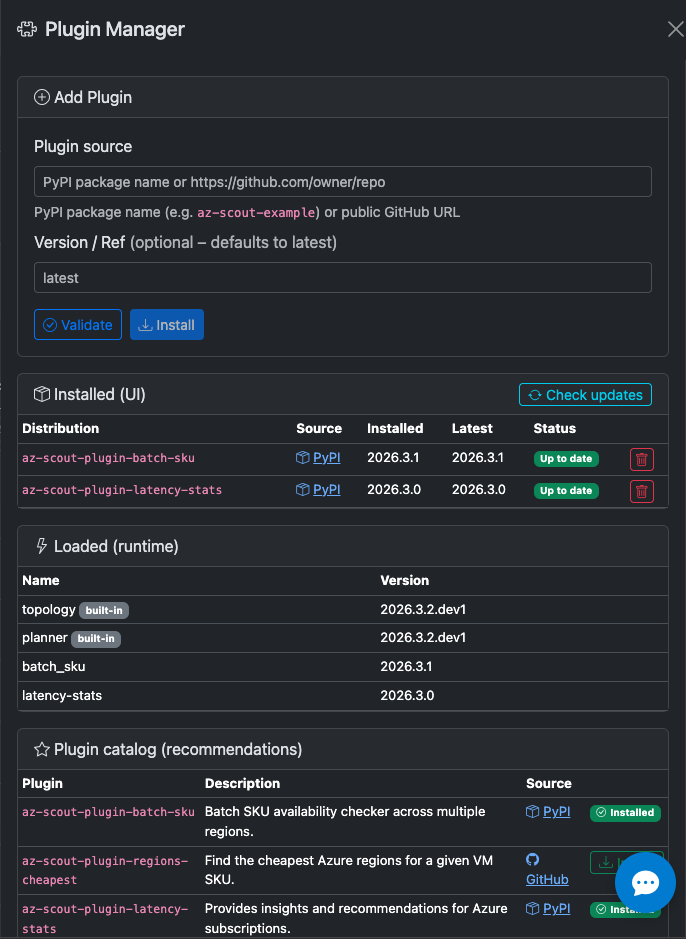
Extend az-scout with pip-installable plugins that add:
- API routes — new REST endpoints mounted at
/plugins/{name}/ - MCP tools — additional tools exposed to AI agents
- UI tabs — new Bootstrap tabs in the web interface
- Chat modes — specialised assistant personalities with custom system prompts
Plugins are discovered automatically at startup via Python entry points — no configuration required.
See the Plugin Development Guide for full details and the scaffold reference.
Known Plugins
| Plugin | Description |
|---|---|
| az-scout-plugin-batch-sku | Azure Batch SKU availability — discover and compare Batch-supported VM SKUs per region |
| az-scout-plugin-latency-stats | Inter-region latency statistics — D3.js graph visualisation of pairwise RTT between Azure regions |
| az-scout-plugin-strategy-advisor | (WIP) Multi-region capacity strategy recommendation engine |